Why was this UserIntent or User Rejected?
Last updated: April 4, 2026
Overview:
The first step of onboarding a User to Astra’s Platform entails a high-resolution security. assessment of their basic profile information, which is submitted to Astra by way of a UserIntent.
In order to protect both Astra and your payments program against losses, fraud, and bad actors, Astra will reject Users based on information discrepancies found in their UserIntent details. If you’d like to get a better understanding of why a UserIntent resulted in a rejected status, locate the UserIntent in your Astra Dashboard in the UserIntent table, and select the rejected status. This will launch a modal window that will highlight some of the contributing factors that may have led to their rejection.
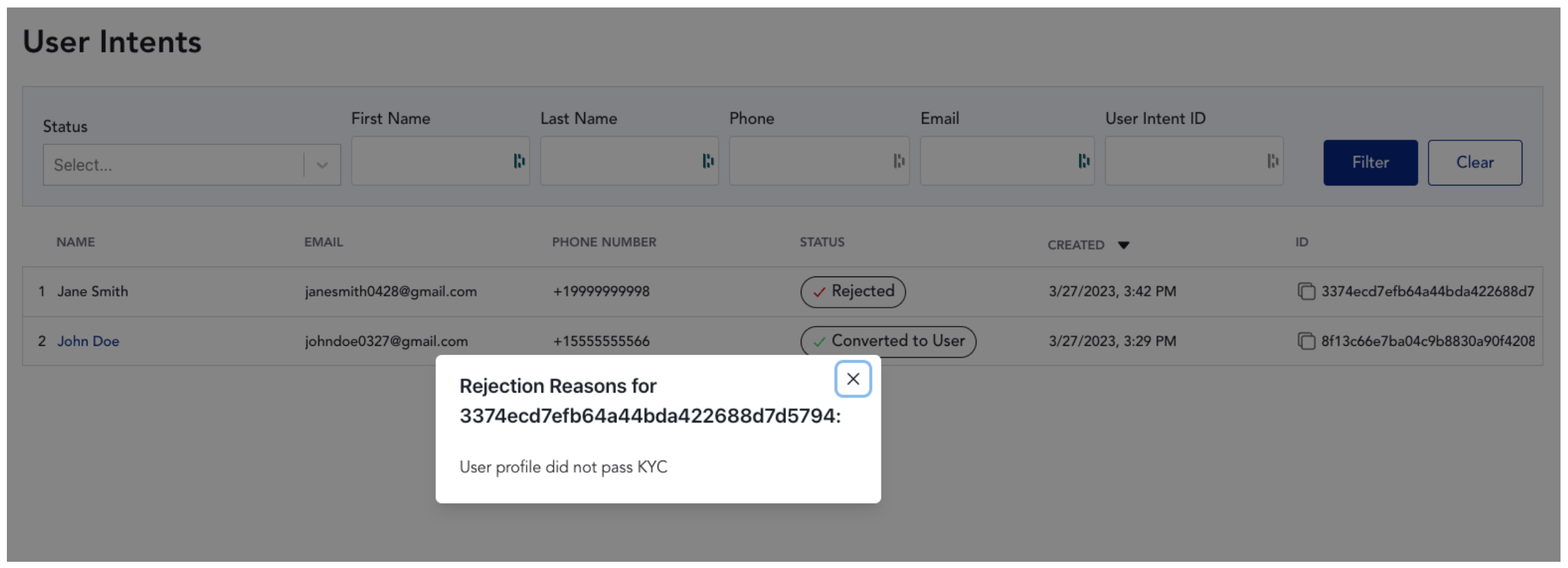
What Leads to a Rejected UserIntent or User?
There are many reasons why a UserIntent may be rejected, and oftentimes, it’s not a single reason, but a combination of factors that are flagged through Astra’s proprietary risk model. To reduce the likelihood of rejection, a User should submit information that is correct and most closely associated with their identity. Submitting burner phone numbers, one-time email addresses, using VPNs, having an IP address outside the US, having an IP address that is significantly farther away than your home address, and/or providing false, incorrect, or stolen information will most likely result in a rejection. Ultimately, Astra and our Banking Partners must be able to confidently verify the identity of an individual, or else a rejected UserIntent / User is likely.
You may occasionally encounter “Watchlist association” as a rejection reason. This means that one or more pieces of information provided during onboarding (such as name, date of birth, contact details, or other identifiers) directly matched data associated with a known fraudster or known fraudulent activity in our internal and partner watchlists. Because this presents a heightened risk of fraud, loss of funds, or other misuse of the platform, the user is rejected and is not eligible to use Astra’s services.
Note: In rare cases, a rejection may be the result of an OFAC list match.
Contesting UserIntent or User rejections
If you’d like to contest the rejection of a UserIntent or User, submit a support ticket via your Support Portal, or the chat widget in your Astra Dashboard. Simply select the Astra User Approval Review Request option, and fill out details for 1 User to be reviewed.
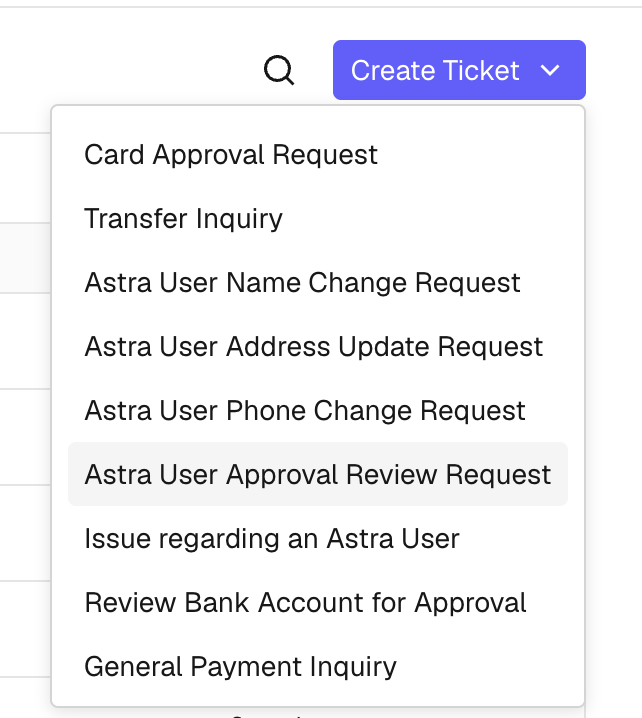
UserIntent ID and or User ID (do no include personally identifiable information)
State that you’d like their rejection to be reviewed
Explain why you’d like their rejection to be reviewed
Provide the following information:
Is this a known User of your application / business?
How long have they been a User of your application / business?
Do they have healthy transfer activity and User behavior with your business outside of Astra?
Once received, Astra will review the User’s profile. Astra reserves the right to and in some cases is obligated to keep Users rejected.