How to search for a User in the Astra Dashboard
Last updated: August 21, 2026
Navigate to the Astra Dashboard
In
sandboxUse case: Building and testing your integration with test data
In
productionUse case: Managing and supporting your live integration with real user data
Click on Users from the left menu
This will navigate you to the Users Search Page
In
sandboxIn
production
Search for the individual or business by name, phone number, email address, or known Astra user_id
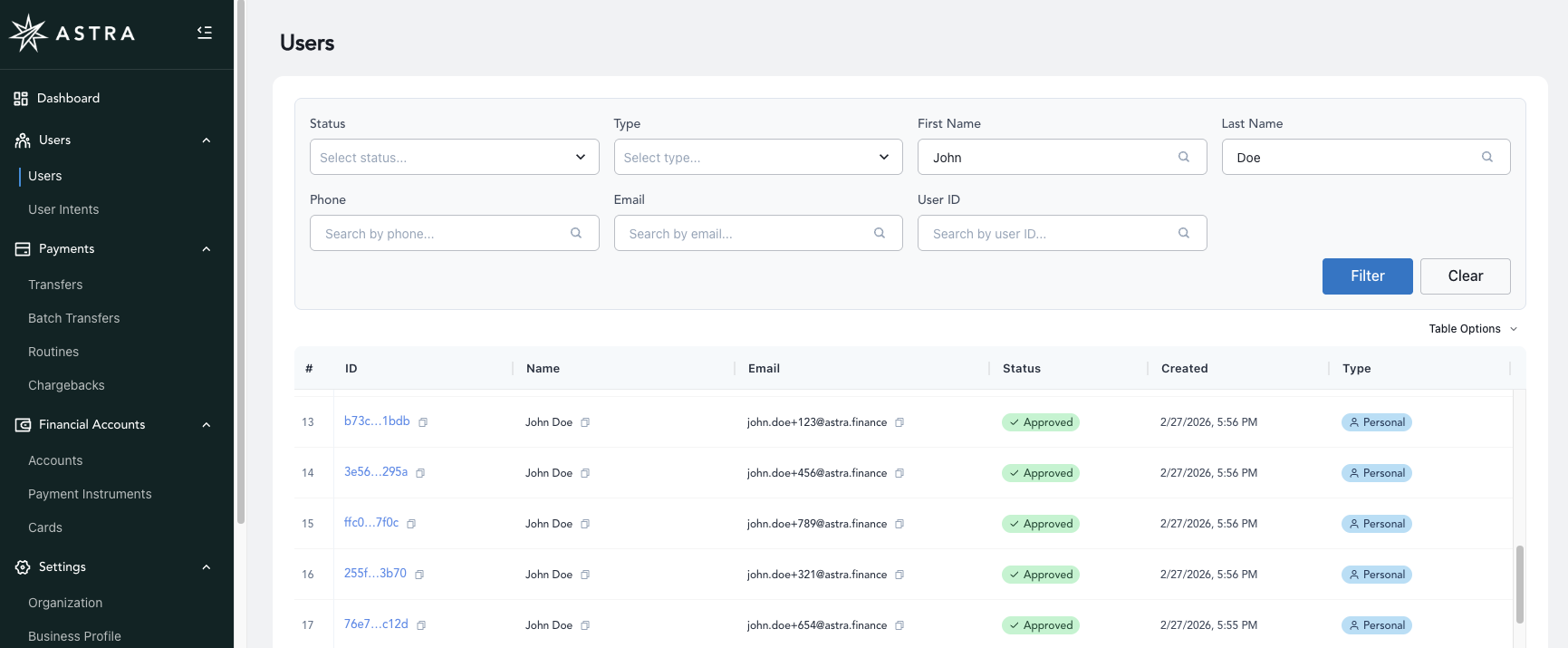
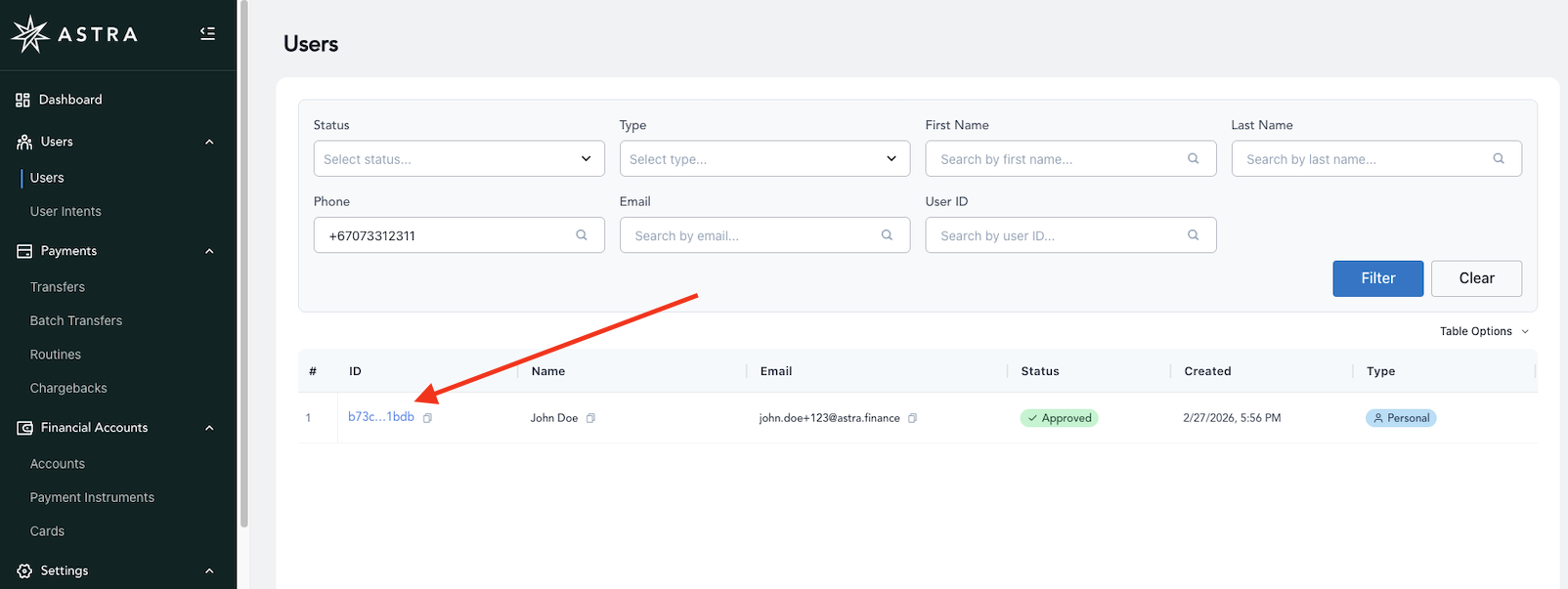
Click on the user_id to view the User's profile in detail
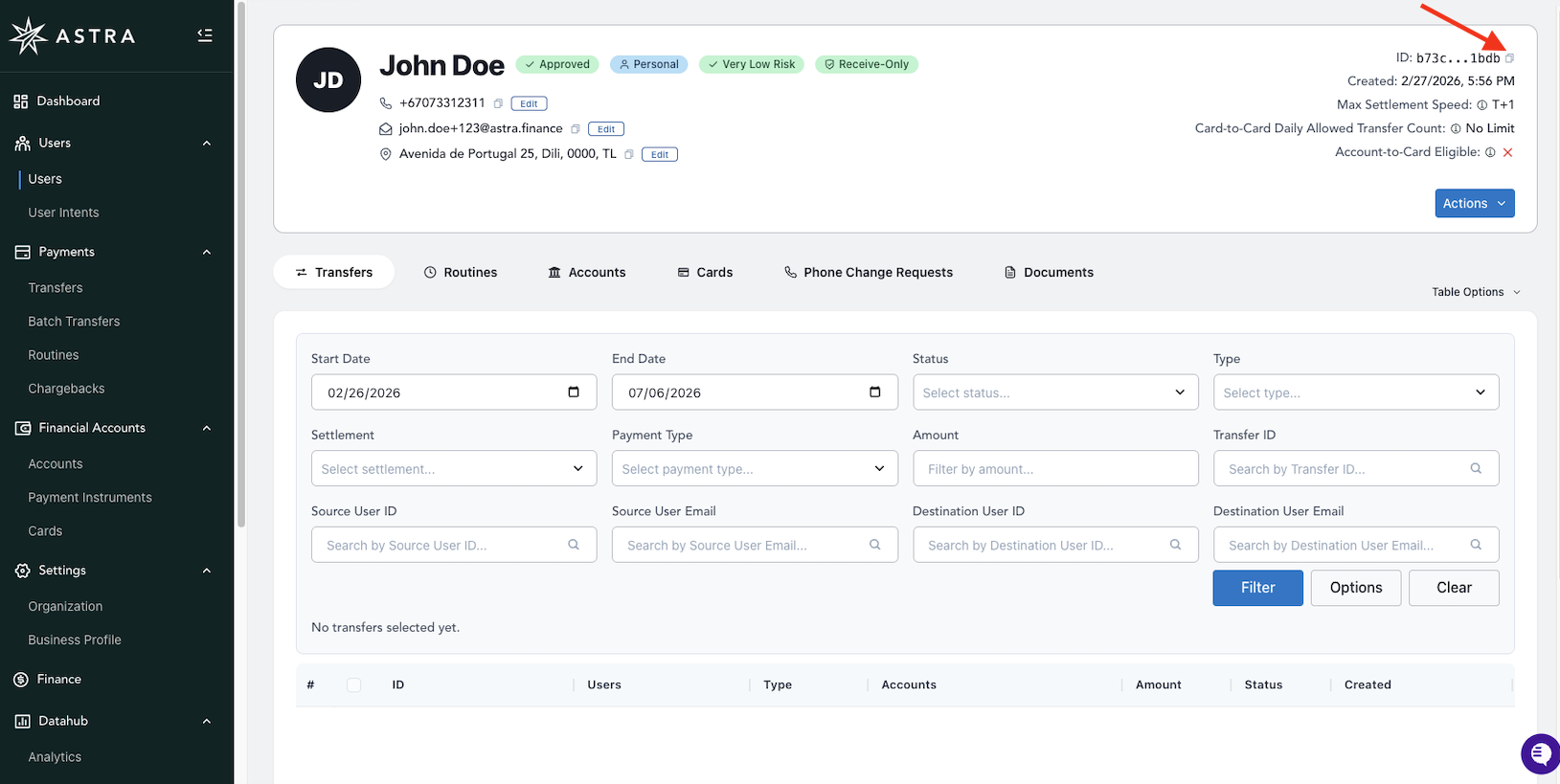
Or click on the copy shortcut next to the user_id to share with Astra Support when submitting support tickets for a User.
The User Details View also has the option to copy the user_id and view other User metadata
When interfacing with Astra Support, you'll need to provide the user_id when discussing a User.
You can also view a User's transfers, routines, accounts, cards, and phone change requests here.