How to search for a Transfer in the Astra Dashboard
Last updated: July 6, 2026
Navigate to the Astra Dashboard
In
sandboxUse case: Building and testing your integration with test data
In
productionUse case: Managing and supporting your live integration with real user data
Navigate to one of the Users involved in the Transfer
https://knowledge.astrafi.com/articles/3778033536-how-to-search-for-a-user-in-the-astra-dashboard
On the User Details View click on the Transfers Tab
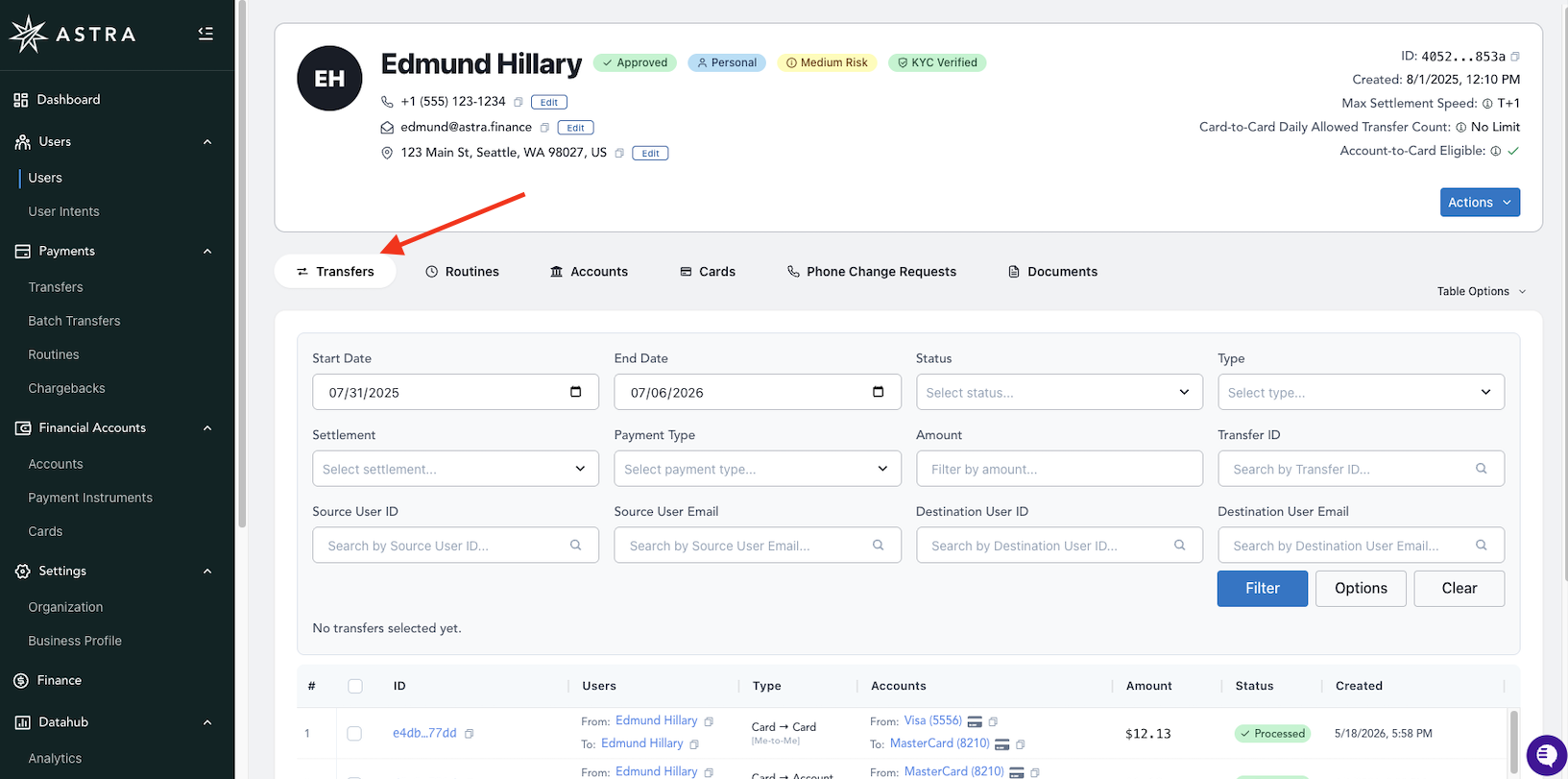
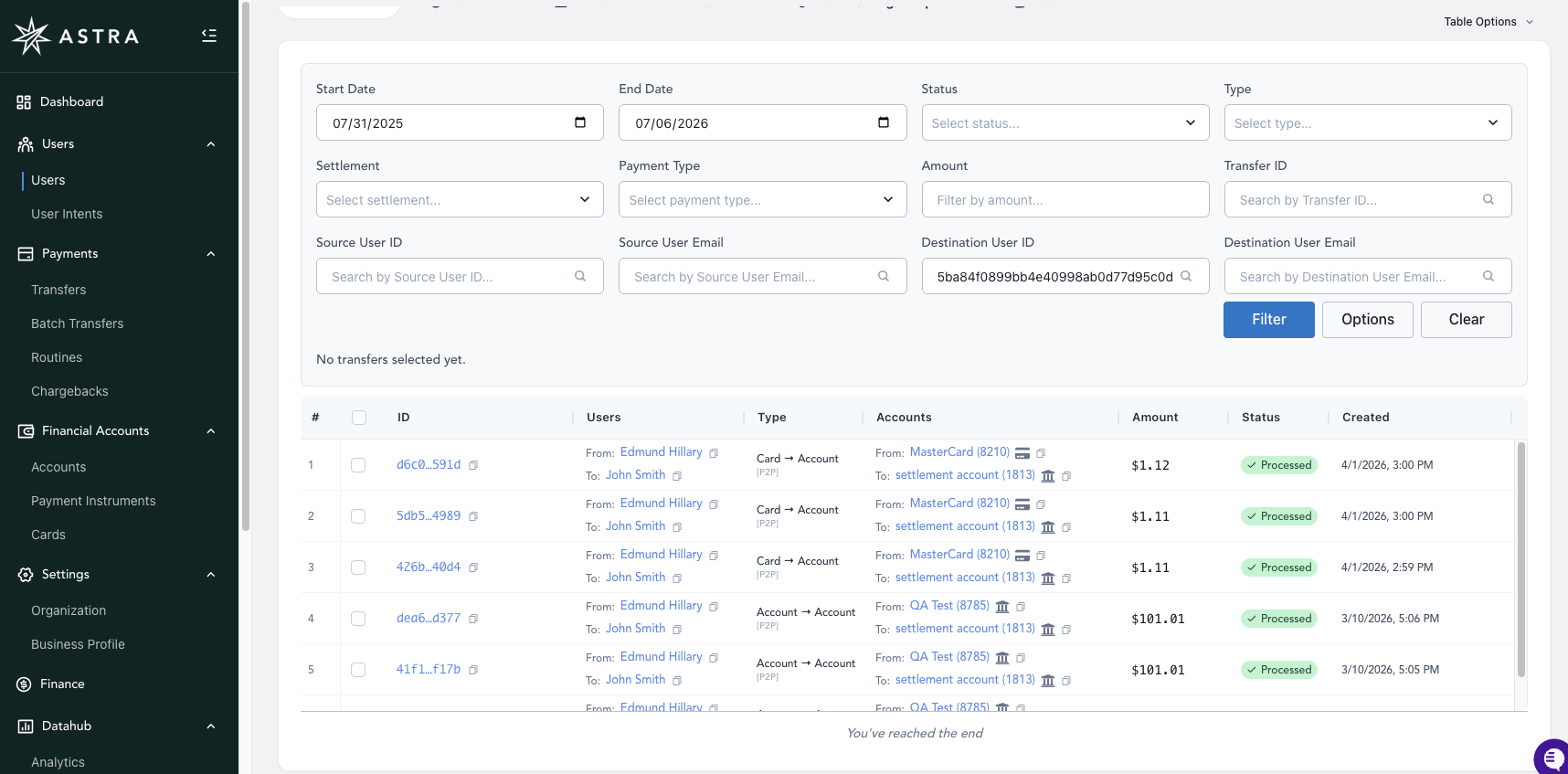
Scroll down and adjust the search parameters
The example image below shows searching for Transfers sent to a specific destination user_id associated with a John Smith
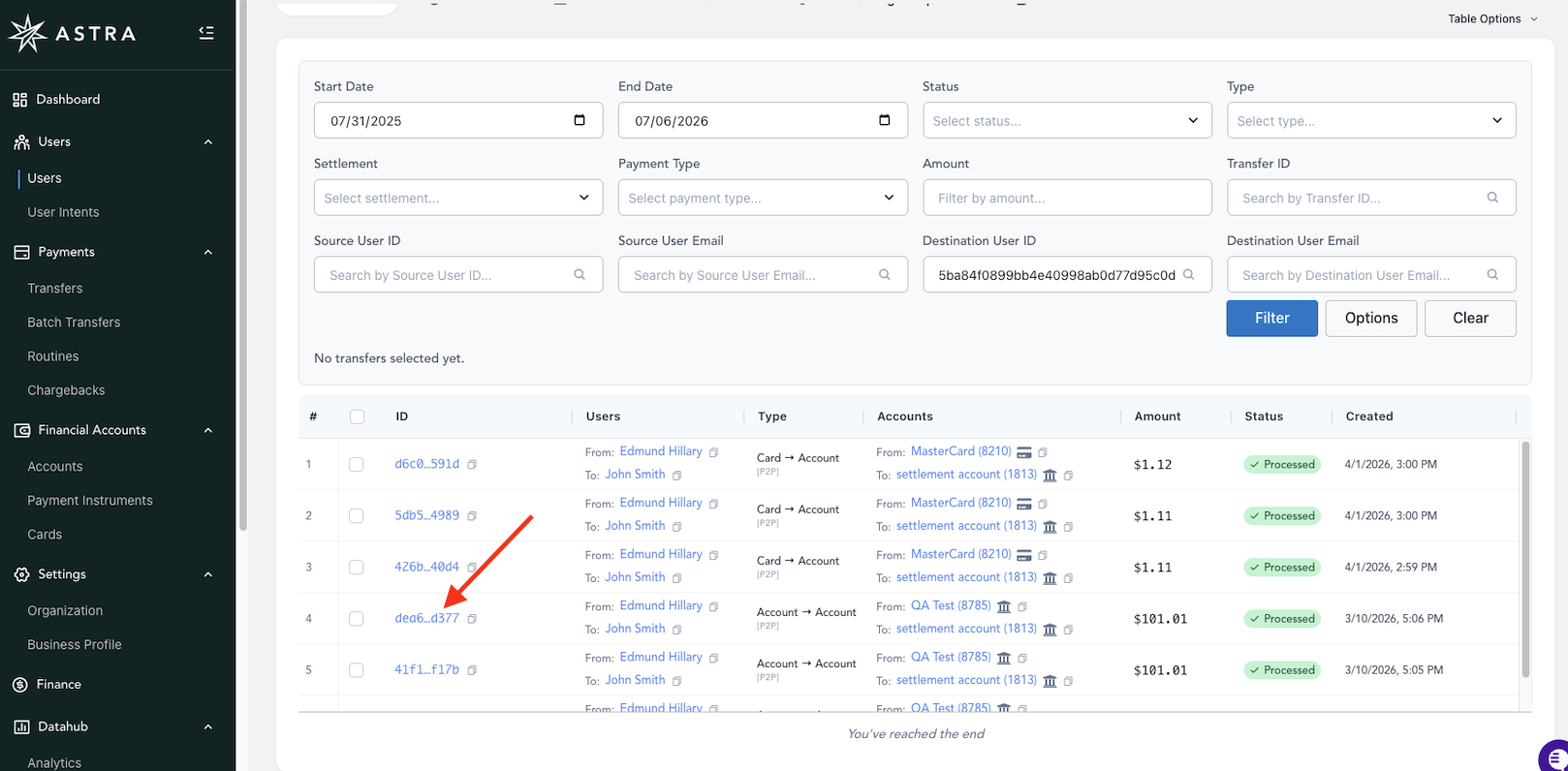
Click on the desired Transfer's transfer_id to view the Transfer Details page
You can optionally copy the transfer_id here by clicking on the copy icon to the right of the link.
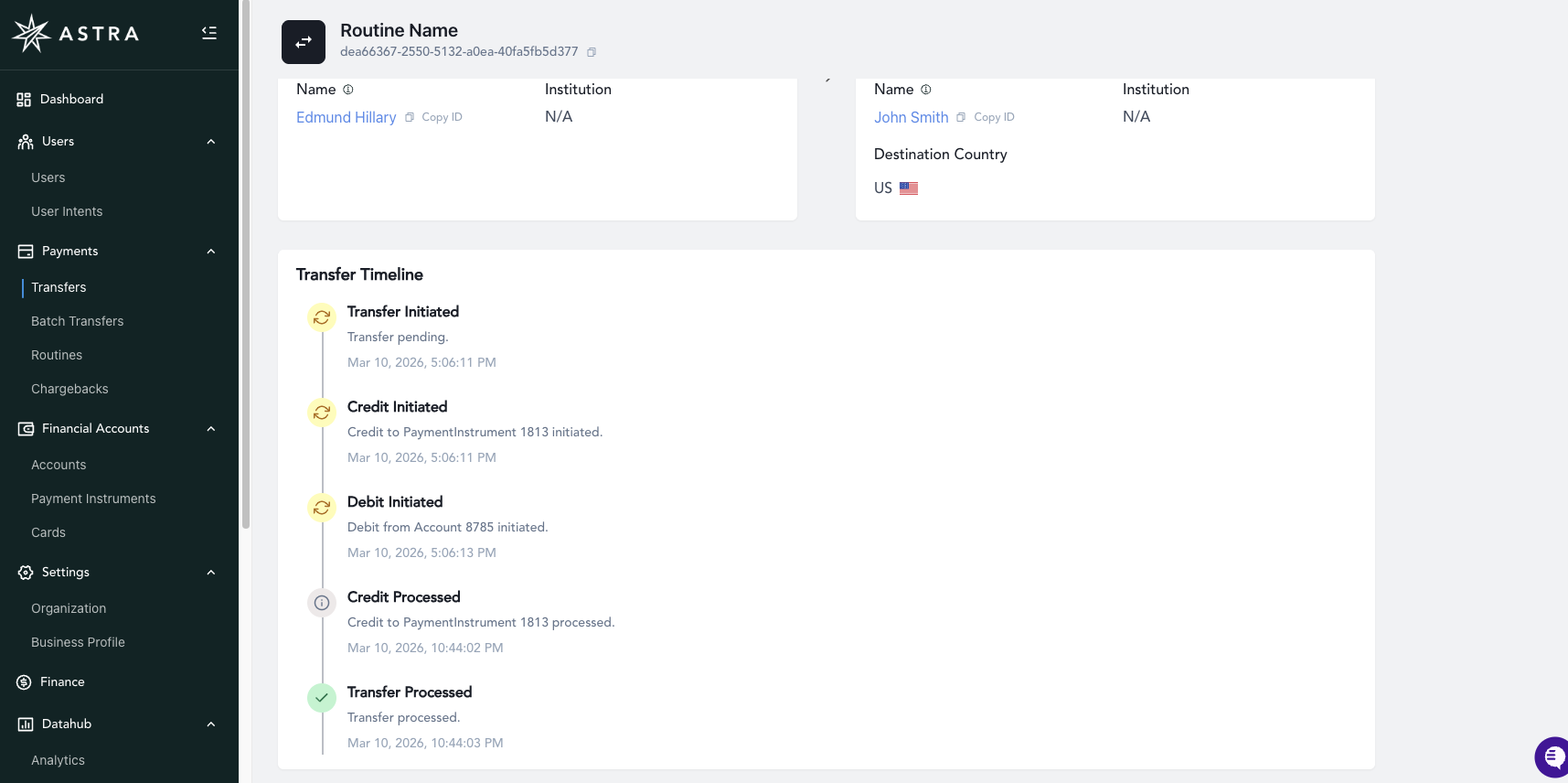
On the Transfer Details page, copy the transfer_id by clicking the copy icon
When interfacing with Astra Support, you'll need to provide the transfer_id when discussing a User's Transfer.
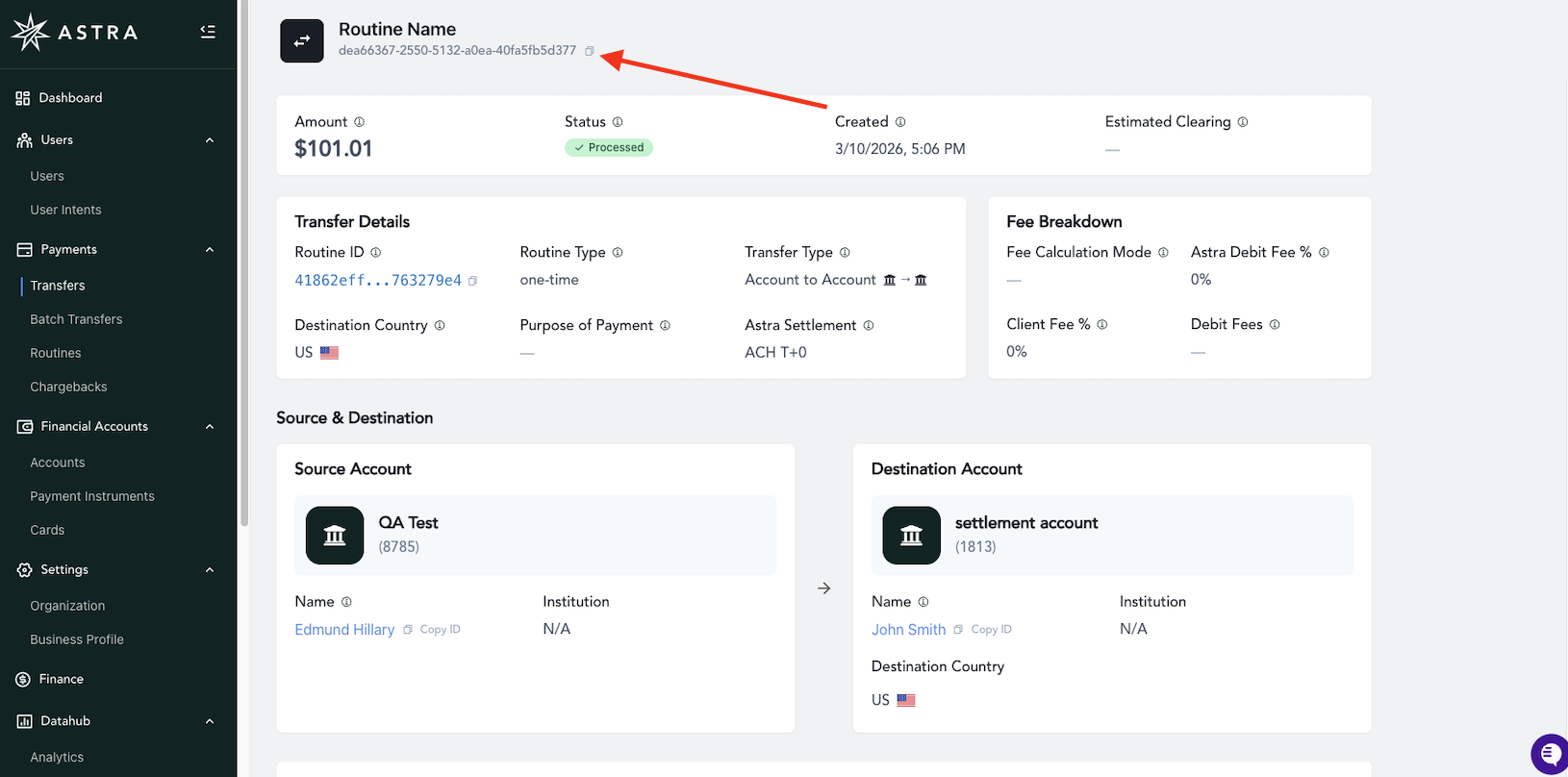
The Transfer Details page also shows additional details as you scroll down the page
The
Failure Reasonwill be visible for Transfers with afailedstatus.The
Transfer Timelinewill show all the steps of the Transfer's lifecycle